iOS Wallet
iOS Crypto & Bitcoin Wallet App for iPhone in the UK
The CEX.IO app is a UK iOS crypto wallet for iPhone. It keeps Bitcoin and other listed cryptoassets in one custodial account, and the same account opens in the CEX.IO Wallet on the web. This guide explains how the app works, how to set it up in the UK, and how to buy, sell, send and convert crypto from it.

Read the step-by-step guide below
iOS Crypto & Bitcoin Wallet for All Devices in the UK
An iOS crypto wallet is an app on an iPhone that holds cryptoassets such as Bitcoin and lets the owner send and receive them. Some iPhone wallets leave the private keys on the phone, and others, such as the CEX.IO Wallet, keep the keys with the provider.
The CEX.IO Wallet is a custodial wallet, which means CEX.IO holds the private keys and the customer signs in to an account without recording a seed phrase. The account behind the iPhone app is the same one a customer reaches in a desktop or mobile browser, so holdings and history match on every device. Cryptoassets are not covered by the Financial Services Compensation Scheme.
How to choose a digital wallet for iOS in the UK?
A few checks help when you pick a crypto wallet app for iPhone in the UK.
- Download from the official listing. Search the App Store, check that the developer name matches the provider, and avoid links from unsolicited messages.
- Check who holds the private keys. A custodial app keeps them with the provider, and a self-custody app leaves them, and the recovery phrase, with you.
- Lock the phone. A passcode, Face ID or Touch ID on the device, plus two-factor authentication on the wallet account, reduce the risk of unauthorised access.
- Turn on transaction notifications, so each movement on the account reaches you.
- Read the fee schedule before you transact. CEX.IO publishes its fees on the Limits and Commissions page.

Hot and Cold storage, iPhone Bitcoin wallet in UK
Crypto wallets fall into two groups. A hot wallet keeps its keys on a device or service connected to the internet, and an iPhone app is one example. A cold wallet keeps the private keys offline, usually on a hardware device, and a transfer needs that device on hand. The FAQ below sets out how each type works.
What is an iOS crypto wallet by CEX.IO?
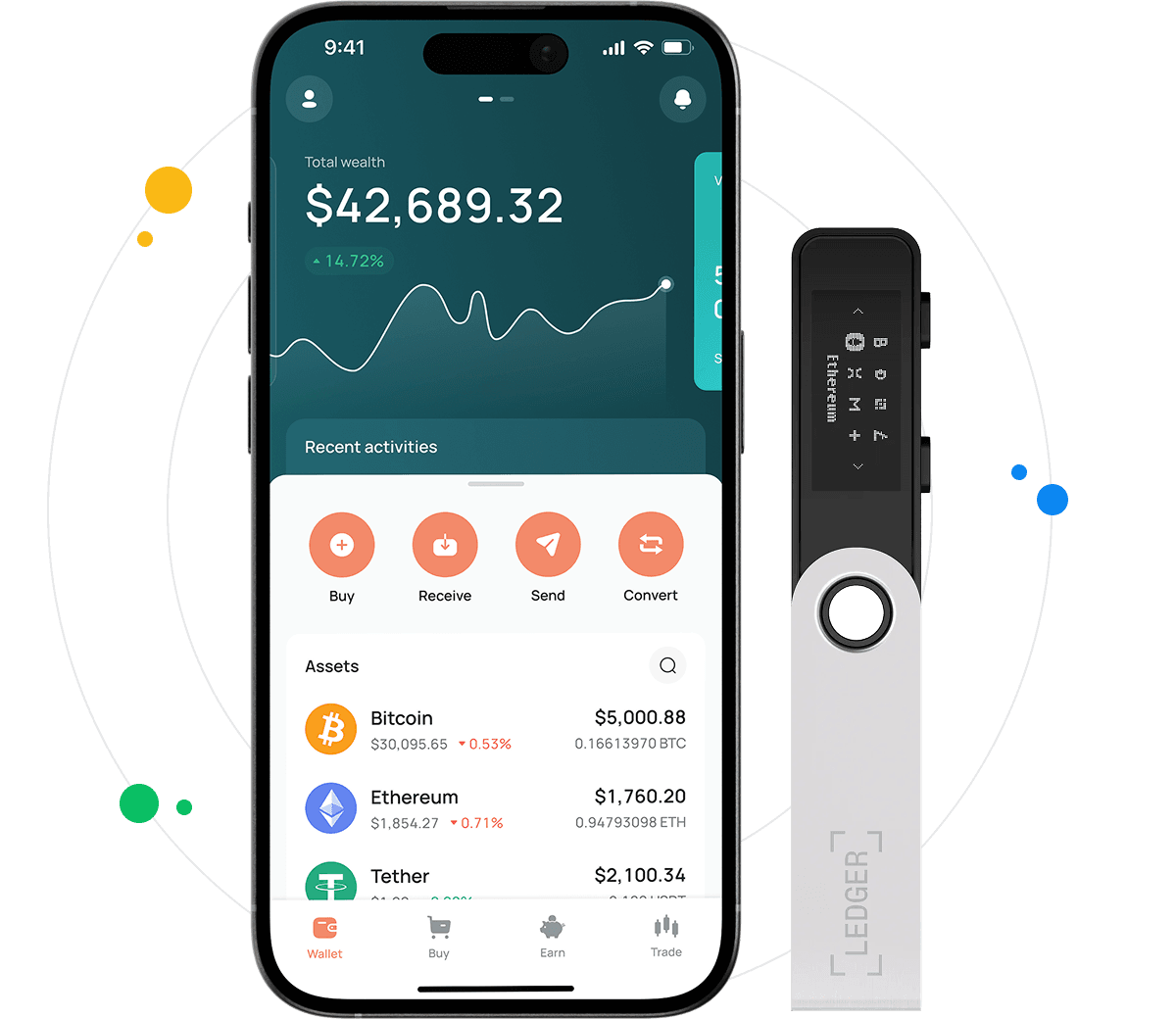
The CEX.IO iOS crypto wallet is the CEX.IO app for iPhone. It stores Bitcoin and other listed cryptoassets, and it lets a UK customer buy, sell, send, receive and convert them from one account. The app and the web version share that account, so a purchase made on the iPhone also shows in the browser. Any fees that apply appear before you confirm a transaction, and the Limits and Commissions page publishes the full schedule.
H3: Bitcoin wallet for iPad in the UK
The CEX.IO app is listed on the App Store, where you can check which devices and iOS versions it supports. On an iPad or a Mac, a customer can also open the CEX.IO Wallet in a web browser and sign in to the same account. No installation is needed for the browser version.
FAQ
Is the CEX.IO Wallet compatible with Android devices?
Yes. The CEX.IO app is available for iPhone on the App Store and for Android phones on Google Play, and both open the same account.
Can I buy Bitcoin in the UK with the iOS wallet?
Yes. UK customers can buy BTC in the CEX.IO app once identity verification and the appropriateness assessment are complete. A 24-hour cooling-off period applies before your first cryptoasset purchase, and the payment methods you see depend on your region and verification level.
Can I exchange currencies via CEX.IO Wallet in the UK?
Yes. The Exchange option in the app runs on CEX.IO Convert, which changes one listed asset into another within your account, where available. Pick the two assets, enter an amount, and check the rate and the amount you would receive on the confirmation screen. Nothing converts until you confirm.
What security controls apply when I buy and sell Bitcoin in the UK?
CEX.IO applies KYC and AML checks, and you can turn on two-factor authentication on your account and biometric sign-in in the app. These controls reduce the risk of unauthorised access but do not remove it. Buying cryptoassets carries risks, which are set out in our Risk Summary.
How to track my portfolio changes?
The CEX.IO Wallet dashboard lists each asset you hold and an estimated value of your holdings. The CEX.IO prices page shows current prices for listed assets.
Hot or Cold storage?
Each type works differently, and the choice depends on how you hold and use your crypto.
Hot wallet
A hot wallet stays connected to the internet. It comes in three forms:
Desktop wallets, which run as programs on a computer.
Mobile wallets, which you download from Google Play or the App Store, depending on your phone.
Web wallets, which a provider runs and you open in a browser on a computer or a phone.
The CEX.IO Wallet works as a mobile and a web wallet. On any hot wallet, a strong password, transaction notifications and staying off public Wi-Fi reduce the risk of unauthorised access.
Cold wallet
A cold wallet is usually a hardware device, often the size of a USB drive, that holds private keys offline. A transfer needs the device connected, so the keys stay away from the internet between uses. A hardware wallet costs money, prices vary by model, and it may support a narrower range of assets than a hot wallet.
How to create a CEX.IO wallet account in the UK?
Register in the CEX.IO app or on the CEX.IO website:
1. Enter your email address, create a password, choose the United Kingdom as your country of residence, and accept the Terms of Use.
2. Confirm your email address through the message CEX.IO sends.
3. Turn on two-factor authentication and, in the iPhone app, biometric sign-in.
4. Verify your identity under CEX.IO's KYC and AML policies with your address, mobile number, a government-issued identity document and a liveness check.
5. Take the appropriateness assessment required for UK customers. A 24-hour cooling-off period applies before your first cryptoasset purchase.
How to fund my account?
Before you buy BTC or another asset with a balance, you can add fiat funds to the wallet:
1. Open your wallet and choose the currency.
2. Choose the option to add funds and enter the amount you want to deposit.
3. Choose a payment method available in your account.
4. Check the details and confirm the deposit. Your balance updates once the deposit completes.
Can I buy crypto at CEX.IO Wallet?
Yes. You can buy crypto in the wallet with a payment method available in your account, for example a debit card if you want to buy Ethereum with a debit card. Here is how:
1. Select Buy and choose the asset you want.
2. Enter how much you want to spend and pick the currency.
3. Choose the card or other payment method you want to use.
4. Review the amount of crypto you would receive and the fee shown.
5. Confirm the purchase. Your balance updates once the purchase completes.
How to Sell Digital currency from a Wallet in the UK?
You can sell crypto from the wallet and receive fiat, for example by converting BTC to GBP. Use the Sell feature in your CEX.IO Wallet:
1. Choose the asset to sell.
2. Enter the amount you want to sell or receive.
3. Choose a payout method available in your account, then check the details.
4. Confirm the sale. The sold amount leaves your crypto balance once the sale completes, and the payout follows through the method you chose.
How to send and receive crypto in the UK with the iOS wallet?
To receive crypto, open the asset in the app, select Receive, choose the network, and copy the deposit address or show its QR code. Several senders can use the same address, and each deposit appears once the network confirms it.
To send crypto, open the asset, select Send, paste the destination address and confirm the network. Enter the amount, check the fee and confirm. Blockchain transactions cannot be reversed, so check the address and the network before you confirm.