JTO Wallet
Jito (JTO) Wallet for Free – JTO Token Wallet Online by CEX.IO
Wondering where to keep your JTO tokens? Our free wallet opens on phones, tablets, and computers, giving you one account for storage and trading. Read on for how the wallet works, what signing up takes, and where JTO purchases happen.

Read our easy guide and create your Jito wallet today!
Bitcoin Wallet for All Devices
Bitcoin (BTC) leads the cryptocurrency market as the first and largest digital asset by market capitalization. Millions of people buy BTC as a long-term holding, a payment method, and an entry point into crypto. Every one of them needs a safe place to keep it. CEX.IO gives you a free Bitcoin wallet that runs on iOS, Android, desktop, and the web. You manage your BTC, track your portfolio, and move funds from one secure interface, on the go or at your desk.
What is JTO?
JTO is the governance token of Jito, a Solana protocol that makes staked SOL usable through a liquid token called JitoSOL. Holders vote on how the protocol operates and how its treasury gets allocated.
Types of JTO Wallets
We provide three wallet formats so JTO stays manageable on any device you use. The feature set carries across all of them.
- Online crypto wallet. Opens in a browser on desktop and laptop machines. Nothing installs, nothing costs anything up front, and our platform stores the private keys on your behalf.
- Android crypto wallet. Comes through the Google Play Store for Android hardware. The interface mirrors the desktop version, so buying, selling, and transferring JTO stays familiar.
- iOS crypto wallet. Verified by the Apple App Store for iPhone and iPad. Every Android feature appears here, with biometric login and live market data added in.

Step by Step Guide: How to Set Up a JTO Wallet for Mobile and Desktop
Working from a desktop or laptop, follow these steps.
- Load our official website.
- Select the Products tab in the navigation bar and click Wallet.
- Scroll to find Create Your Wallet.
- Provide your details and set a password that keeps third parties out.
- Pass identity verification per our KYC and AML policies to access all CEX.IO features and services.
- Once verified, reach your wallet from the user profile.
The mobile version is quicker.
- Visit your mobile store and download the CEX.IO app.
- Install the app.
- Create your account following the in app steps.
- Your JTO wallet becomes reachable through the user profile.

How to Send and Receive JTO?
Bringing existing JTO holdings onto CEX.IO takes three actions.
- Open your wallet from the user menu and choose JTO as the cryptocurrency to receive.
- Head to Add Funds, where your JTO deposit address waits.
- Copy it into your other wallet. Several senders can use the same address at the same time.
With no JTO to start from, Instant Buy or Spot Trading provides a way in. Sending JTO out works like this.
- Go to your wallet and select JTO as the transfer asset.
- Choose Withdraw.
- Enter the JTO amount leaving your balance.
- Provide the recipient address, or scan their QR code.
- Finish the transfer through the prompts on the page.

How to sell crypto at CEX.IO Wallet
Reviewing current rates on our crypto prices page gives you a sense of timing. Selling then goes as follows.
- Pick Sell from the toolbar on the main page.
- Enter the fiat total you want to receive.
- Select a card or bank account for the payout and confirm the details shown.
- Press Sell Now. The JTO comes out of your balance and the money heads to your destination.

How to use the Exchange option at CEX.IO Wallet?
Assets in your wallet can move between one another through Exchange. Choose it from the toolbar, set the source and target currencies with the dropdown lists, and enter your amount. The result appears before confirmation. Click Exchange, verify the numbers, and your balances update together.
FAQ
How can I track the value of my JTO?
Our cryptocurrency price page includes JTO with live figures covering the current value, the change over the previous day, and the market capitalization. Anyone can look, with or without an account.
Which wallet is best for JTO?
Habit usually settles the question. The web wallet fits people who manage crypto from a computer, needing no installation while our platform looks after storage.
For anyone away from a desk, the mobile apps make more sense. Android and iOS builds both carry simple navigation, fingerprint or face login, current market data, and notifications the moment a transaction lands.
Can I store other cryptocurrencies at CEX.IO?
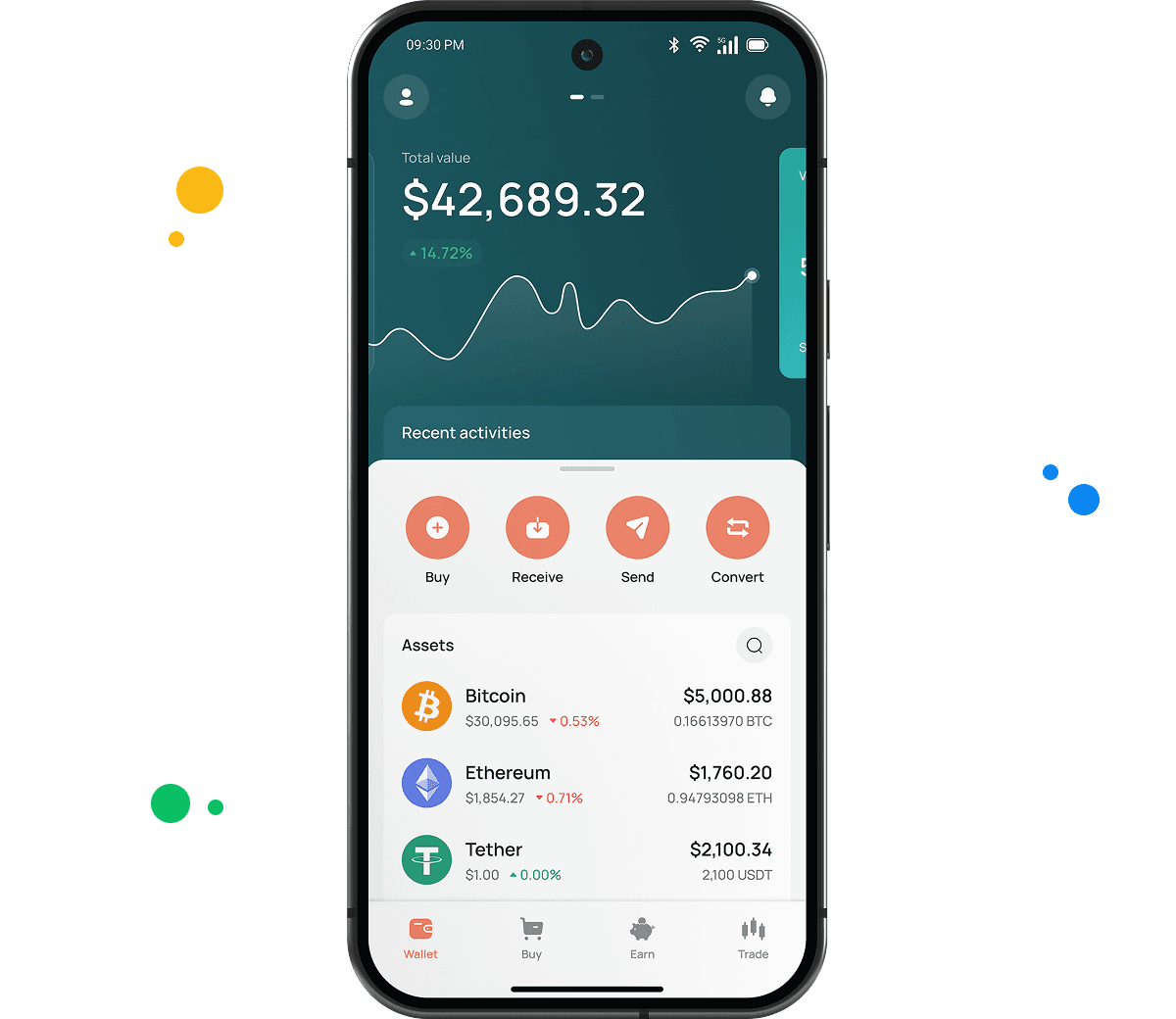
Yes. Over 200 assets are supported across our desktop and smartphone wallets, which places JTO next to BTC, ETH, USDT, SOL, and everything else we list. Holding several requires no extra downloads and adds no fees.
How to send crypto from CEX.IO wallet
Open the Wallet app, select JTO, and tap Send. Enter your amount and the recipient address, or reuse a saved one from a previous withdrawal. Confirm the network shows Solana, review the summary, and press Confirm Sending. Transfers to other CEX.IO users move through CEX.IO Pay instantly at no cost.
Which is the best mobile JTO wallet to use?
The CEX.IO App handles JTO fully on iOS and Android. Purchases, sales, conversions, and transfers all live in one interface, and the wallet connects to your account so funds reach every platform tool.
What are the payment methods at CEX.IO Wallet?
Card payments work, as do SEPA transfers, Faster Payments for UK residents, and Domestic Wire for those banking in the US.
Is it necessary to have a wallet to trade crypto?
Yes, since trading JTO requires holding it somewhere. Your CEX.IO wallet attaches to your account, letting one balance serve Instant Buy, Convert, and Spot Trading. Guard it with a strong password and two factor authentication.