DASH Wallet
Dash Wallet on CEX.IO : For iOS, Android, and Desktop Users
Are you searching for the best Dash wallet? We know it may take time to find a reliable option, so we built a secure online DASH wallet for you. This guide will tell you how to use the CEX.IO Wallet and how to store and manage your DASH safely on any device.

Read our easy guide and create your Dash wallet today!
Dash Wallet for All Devices
CEX.IO gives you a free DASH wallet that runs on iOS, Android, desktop, and the web. You manage your DASH alongside hundreds of other digital assets, track your portfolio, and move funds from one secure interface. In our guide, we will talk about what features the safest DASH wallet should have and how you can create an easily accessible DASH wallet on CEX.IO.
Types of wallets for keeping digital assets
Crypto wallets are similar to traditional wallets but, unlike conventional ones that hold paper money, they are designed to hold virtual currency. If you are not sure where to store your digital assets, think of creating a crypto wallet on CEX.IO.
Digital wallets for cryptocurrency come in various formats, each with its own benefits in terms of convenience and security. But regardless of the format, the protection of your funds remains your responsibility. Keep the passwords that give you access to your digital wallet highly protected.
What is Dash (DASH)?
DASH is the native currency of Dash, a payment-focused cryptocurrency launched in 2014 by Evan Duffield as a fork of Bitcoin, designed for fast and low-cost everyday transactions. You can check the live DASH price, convert, buy Dash, or sell it directly on CEX.IO.
CEX.IO DASH Wallet
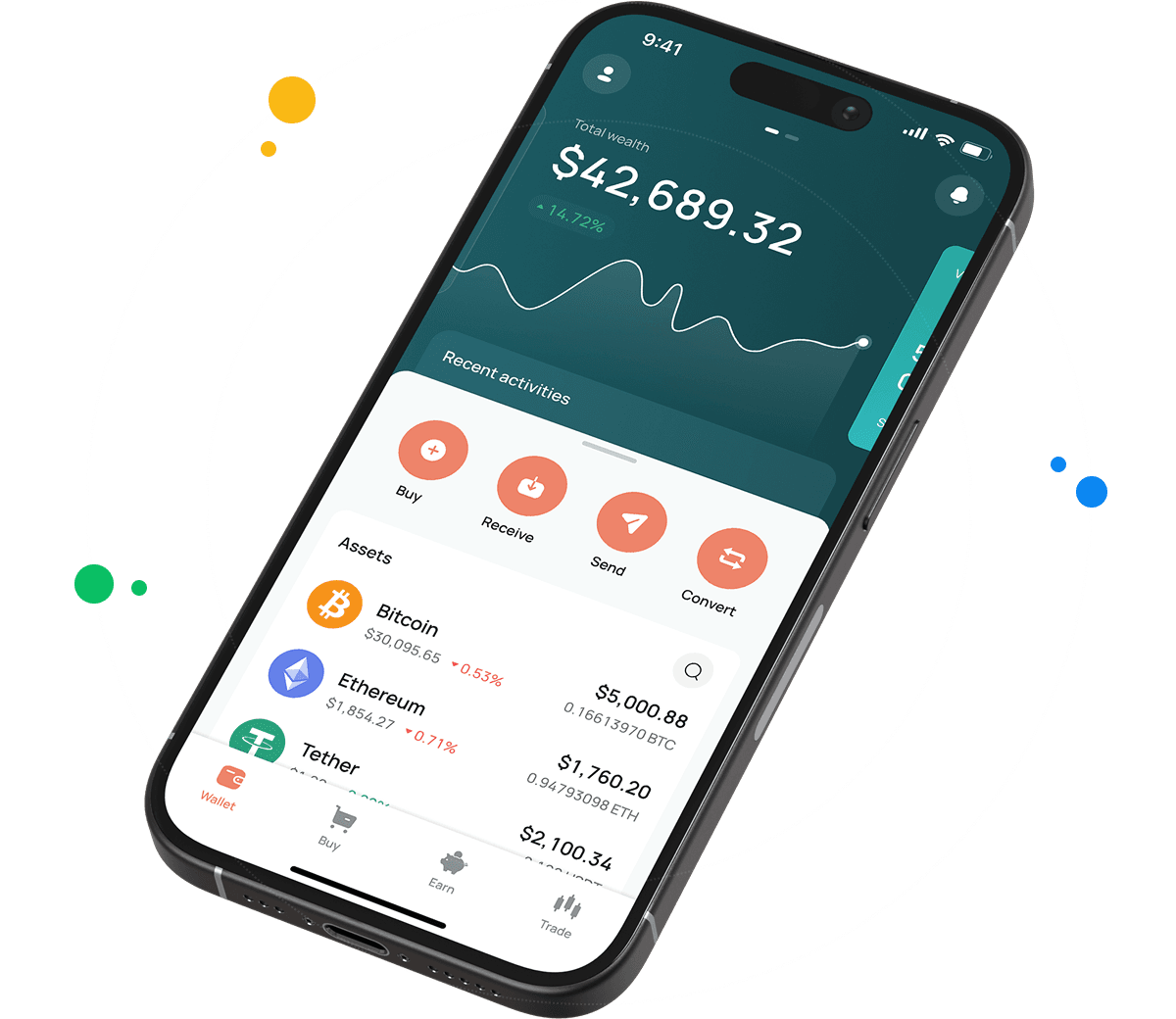
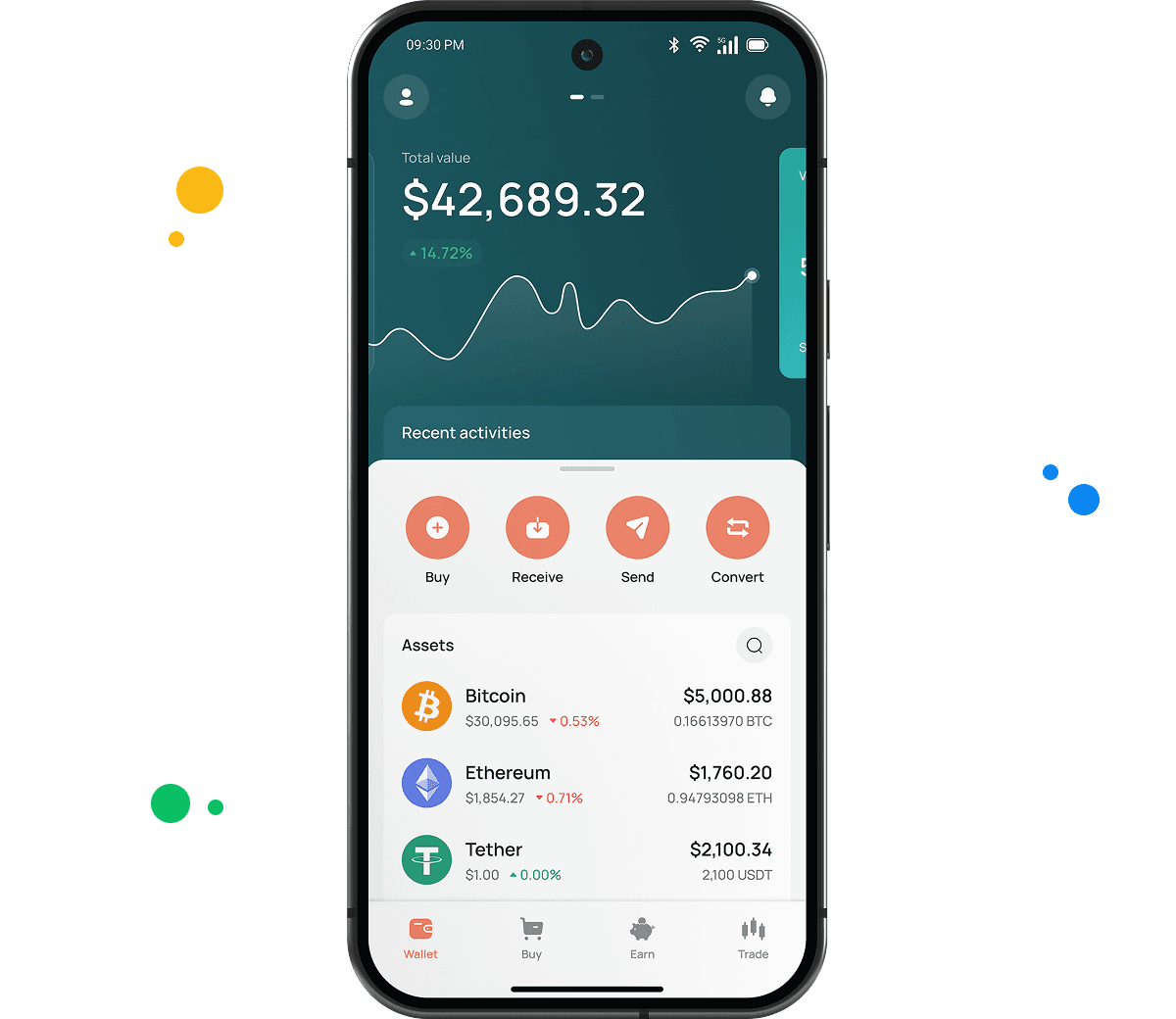
CEX.IO Wallet is a product designed to securely store DASH, BTC, ETH, and other virtual currencies and easily manage your funds.
Unlike most Dash wallets, this one lets you buy DASH by simply using your card. You can also sell your digital assets and get cash on your balance or payment card. Additionally, you can convert DASH into other supported assets or exchange it for different crypto and fiat currencies.
The main advantage of the CEX.IO Wallet is its user-friendly interface. You can quickly find the option you need, manage your funds on the go, and track the changes in your portfolio value at a glance.

How to use DASH wallet by CEX.IO
CEX.IO Wallet gives you the possibility to send DASH and receive it with minimal possible commissions. You can also buy, sell, and exchange your digital assets anytime. The Wallet has a simple, clean interface so it will not take you long to start managing your funds. CEX.IO is one of the most trusted crypto platforms in the world. You can rely on the security of your holdings and transactions.
How to register at CEX.IO wallet
Registration on CEX.IO does not take long. Enter your email, create a secure password, and choose your country. Accept the Terms of Use and Privacy Policy and confirm the email by entering the code sent to you. Add your first and last name and date of birth to finish the setup. Done! Now you can send and receive DASH, purchase digital assets, sell, and exchange them anytime.

How to deposit money at CEX.IO wallet
- In the Wallet menu, choose the currency you want to deposit.
- Tap Receive and enter the amount. Choose the payment method and tap Deposit.
- Make sure the payment details are correct and tap Confirm Deposit.
- Funds will appear in your wallet shortly.
To deposit DASH from an external wallet, copy your DASH deposit address from the Receive section. Dash addresses start with 'X' and use the Dash network's own format — confirm the address before sending.
How to buy DASH at CEX.IO wallet
- On the main page, tap Buy on the toolbar.
- Select DASH from the list of supported assets or use the search to find it.
- Enter the amount in USD, EUR, or another available fiat currency.
- Select your payment method and tap Buy.
- Double-check that all details are correct and confirm the purchase. Your DASH balance will update once the transaction is processed.

How to sell DASH at CEX.IO Wallet
- Select Sell on the toolbar on the main page.
- Type the amount of DASH you want to sell or the fiat amount you want to receive.
- Choose where you want to receive your money — card or bank account. A summary screen will appear. Make sure all information is correct.
- Tap Sell Now. The DASH you sold will be deducted from your wallet and you will receive the fiat amount to your chosen destination.
How to use the Exchange option at CEX.IO Wallet?
To exchange virtual assets stored on your wallet, choose Exchange on the toolbar. Select the currencies you want to convert. Enter the number of DASH coins you would like to exchange and you will see the amount you will get. Click the Exchange button and, if the information is correct, confirm the action. Your wallet balance will update accordingly and you will get the currency you selected.
Guide & FAQ
How to send crypto from CEX.IO wallet
Open the Wallet app, choose Bitcoin (BTC), and tap Send. Enter the amount and the recipient address, or pick a saved address from earlier withdrawals. Review the network and withdrawal details, then confirm. Transfers between CEX.IO users through CEX.IO Pay are instant and carry no blockchain fee.
Which is the best mobile BTC wallet to use?
The CEX.IO App ranks among the strongest mobile options for Bitcoin. You buy, sell, convert, and send BTC from iOS or Android, manage your balance, and reach Spot Trading from one app. Internal transfers through CEX.IO Pay move instantly with no blockchain fee.
What are the payment methods at CEX.IO Wallet?
CEX.IO supports debit and credit cards, bank transfers, and selected mobile wallets, with availability depending on your jurisdiction. You can also fund your account with supported digital assets and use them to buy, sell, or convert BTC.
Where to find the safest crypto wallet?
Check the provider and the security features before you trust a wallet with your funds. CEX.IO operates since 2013, serves more than 15 million registered users, holds PCI DSS Level 1 certification, and lets you enable two-factor authentication. A long track record and clear compliance signal a wallet you can rely on for Bitcoin (BTC).
Should I use a crypto wallet by CEX.IO?
The CEX.IO Wallet gives you secure storage for Bitcoin with fiat payments, fast conversions, and low withdrawal costs. A global, regulated platform backs it, which makes it a practical home for your BTC.
Is it necessary to have a wallet to trade crypto?
Yes. You need a wallet to store, send, and receive BTC, and to fund trades. The CEX.IO Wallet links to your account, so the funds you hold work across Instant Buy, Convert, and Spot Trading. Protect the account with a strong password and two-factor authentication.
What types of crypto wallets exist?
Crypto wallets divide into hot and cold storage. Hot wallets connect to the internet and include desktop apps, mobile apps, and web wallets at exchanges — most cost nothing to use and suit everyday access. Cold wallets store keys offline on a physical device and suit long-term holdings. The CEX.IO Wallet gives you a secure web and mobile option for Bitcoin (BTC) with multi-factor protection.