EURC Wallet
EURC Wallet on CEX.IO : For iOS, Android, and Desktop Users
Are you searching for the best EURC wallet? We know it may take time to find a reliable option, so we built a secure online EURC wallet for you. This guide will tell you how to use the CEX.IO Wallet and how to store and manage your EURC tokens safely on any device.

Read our easy guide and create your Eurc wallet today!
EURC Wallet for All Devices
CEX.IO gives you a free EURC wallet that runs on iOS, Android, desktop, and the web. You manage your EURC alongside hundreds of other digital assets, track your portfolio, and move funds from one secure interface. In our guide, we will talk about what features the safest EURC wallet should have and how you can create an easily accessible EURC wallet on CEX.IO.
Types of wallets for keeping digital assets
Crypto wallets are similar to traditional wallets but, unlike conventional ones that hold paper money, they are designed to hold virtual currency. If you are not sure where to store your digital assets, think of creating a crypto wallet on CEX.IO.
Digital wallets for cryptocurrency come in various formats, each with its own benefits in terms of convenience and security. But regardless of the format, the protection of your funds remains your responsibility. Keep the passwords that give you access to your digital wallet highly protected.
What is EURC?
EURC is a euro-backed stablecoin issued by Circle, the same company behind USDC, launched in 2022 and rebranded from Euro Coin to EURC in 2024. You can check the live EURC price, convert, buy, or sell it directly on CEX.IO.

CEX.IO EURC Wallet
CEX.IO Wallet is a product designed to securely store EURC, USDT, USDC, and other virtual currencies and easily manage your funds.
Unlike most wallets, this one lets you buy euro stablecoins by simply using your card. You can also sell your digital assets and get cash on your balance or payment card. Additionally, you can convert EURC into other supported assets or exchange it for different crypto and fiat currencies.
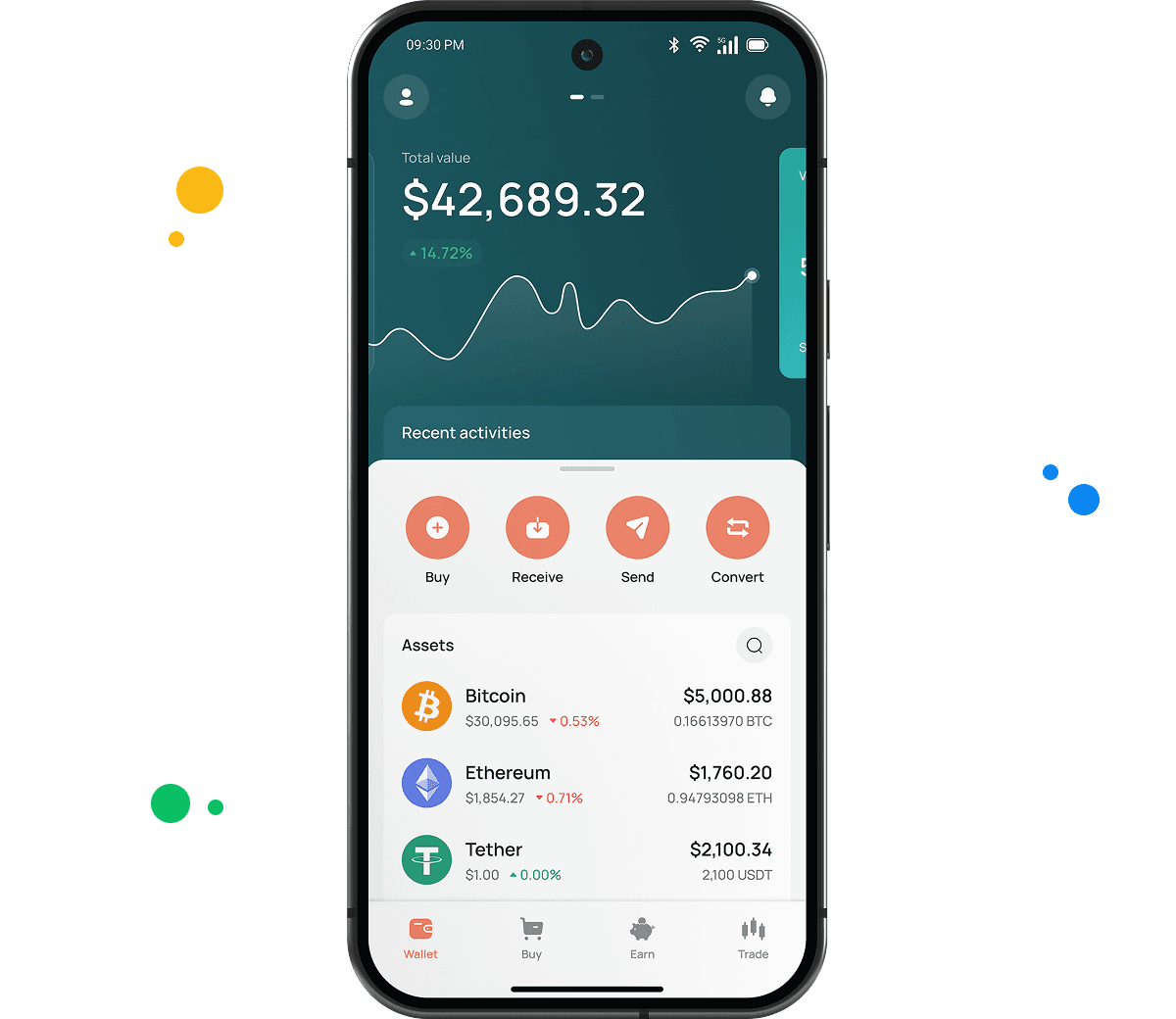
The main advantage of the CEX.IO Wallet is its user-friendly interface. You can quickly find the option you need, manage your funds on the go, and track the changes in your portfolio value at a glance.

How to use EURC wallet by CEX.IO
CEX.IO Wallet gives you the possibility to send EURC and receive it with minimal possible commissions. You can also buy, sell, and exchange your digital assets anytime. The Wallet has a simple, clean interface so it will not take you long to start managing your funds. CEX.IO is one of the most trusted crypto platforms in the world. You can rely on the security of your holdings and transactions.
How to register at CEX.IO wallet
Registration on CEX.IO does not take long. Enter your email, create a secure password, and choose your country. Accept the Terms of Use and Privacy Policy and confirm the email by entering the code sent to you. Add your first and last name and date of birth to finish the setup. Done! Now you can send and receive EURC, purchase digital assets, sell, and exchange them anytime.

How to deposit money at CEX.IO wallet
- In the Wallet menu, choose the currency you want to deposit.
- Tap Receive and enter the amount. Choose the payment method and tap Deposit.
- Make sure the payment details are correct and tap Confirm Deposit.
- Funds will appear in your wallet shortly.
To deposit EURC from an external wallet, copy your EURC deposit address from the Receive section. EURC is available on multiple networks — confirm the correct network matches your external wallet before sending.
How to buy EURC at CEX.IO wallet
- On the main page, tap Buy on the toolbar.
- Select EURC from the list of supported assets or use the search to find it.
- Enter the amount in USD, EUR, or another available fiat currency.
- Select your payment method and tap Buy.
- Double-check that all details are correct and confirm the purchase. Your EURC balance will update once the transaction is processed.

How to sell EURC at CEX.IO Wallet
- Select Sell on the toolbar on the main page.
- Type the amount of EURC you want to sell or the fiat amount you want to receive.
- Choose where you want to receive your money — card or bank account. A summary screen will appear. Make sure all information is correct.
- Tap Sell Now. The EURC you sold will be deducted from your wallet and you will receive the fiat amount to your chosen destination.
How to use the Exchange option at CEX.IO Wallet?
To exchange virtual assets stored on your wallet, choose Exchange on the toolbar. Select the currencies you want to convert. Enter the number of EURC tokens you would like to exchange and you will see the amount you will get. Click the Exchange button and, if the information is correct, confirm the action. Your wallet balance will update accordingly and you will get the currency you selected.
Guide & FAQ
How to send EURC from CEX.IO wallet
Open the CEX.IO Wallet, choose EURC, and tap Send. Enter the amount and the recipient address. Confirm the correct network. Review the withdrawal details and confirm. Transfers between CEX.IO users through CEX.IO Pay complete instantly with no fee.
Which is the best mobile EURC wallet to use?
The CEX.IO App gives you full EURC management on iOS and Android. You buy, sell, convert, and send euro stablecoins from one app alongside your full portfolio. Transfers to other CEX.IO users through CEX.IO Pay are instant with no fee.
What is a EURC wallet address?
A EURC address format depends on the network. On Ethereum and Base, EURC uses the standard 0x EVM address format. On Solana, it uses a base58 Solana address. Find your CEX.IO EURC deposit address by going to Wallet, selecting EURC, and tapping Receive. Always confirm the network matches before sending.
What are the payment methods at CEX.IO Wallet?
CEX.IO supports debit and credit cards, bank transfers (SEPA, Faster Payments, and Domestic Wire in the US), and over 80 supported cryptocurrencies. Available methods depend on your country of residence.
Where to find the safest crypto wallet?
Check the provider's security record and compliance credentials. CEX.IO has operated since 2013, serves more than 15 million registered users, holds PCI DSS Level 1 certification, and lets you enable two-factor authentication. No user funds were lost to a breach in over a decade of operation.
Is it necessary to have a wallet to trade crypto?
Yes. You need a wallet to hold EURC and fund any trades. The CEX.IO Wallet links to your account, so your EURC balance powers Instant Buy, Convert, and Spot Trading. Protect the account with a strong password and two-factor authentication.
How to backup & restore a EURC wallet
CEX.IO is a custodial wallet. Your backup is your account credentials: email address, password, and 2FA recovery codes. For non-custodial wallets, the backup is a 12 or 24-word seed phrase stored securely offline.