SPX Wallet
SPX6900 (SPX) Wallet on CEX.IO: Quick Access for iOS, Android, and Desktop Users
Store, send, and receive SPX6900 with the CEX.IO wallet, built for people who work across phones and computers. Managing your SPX takes a single account, and the interface stays the same wherever you open it.

Read our easy guide and create your SPX6900 wallet today!
SPX Wallet for All Devices
SPX6900 grew out of internet humor and turned into one of the more persistent meme tokens on Ethereum. People who hold it usually want two things from a wallet, quick access and no fuss around setup. CEX.IO covers both. Our wallet opens on iOS, Android, desktop, and straight from a browser tab. Hundreds of assets share the same account, which means your SPX balance appears next to everything else you hold. The guide below walks through each part of using it.
Types of wallets for keeping digital assets
A crypto wallet does the same job a leather wallet does, except the contents are digital. Paper money sits in one, tokens sit in the other. The difference is that your tokens actually live on a blockchain, and the wallet stores the keys that let you spend them.
Formats vary quite a bit. Some wallets install as programs on a computer, others work as phone apps, and some open in a browser at a platform like ours. Hardware wallets keep the keys on a small device you plug in only when needed. Whatever shape you pick, guarding your access details stays your job.
What is SPX6900?
SPX6900 launched on Ethereum in August 2023 as a community meme token. It borrows its name from the S and P 500 index and treats the whole thing as satire, with the slogan about 6900 beating 500 doing most of the explaining. The project states plainly that SPX carries no functional utility.
The founding developers stepped away not long after launch. Liquidity stayed locked, the contract was renounced, and the community took over from there. SPX today is an ERC-20 token on Ethereum, with bridged versions also moving on Solana and Base.
CEX.IO SPX Wallet
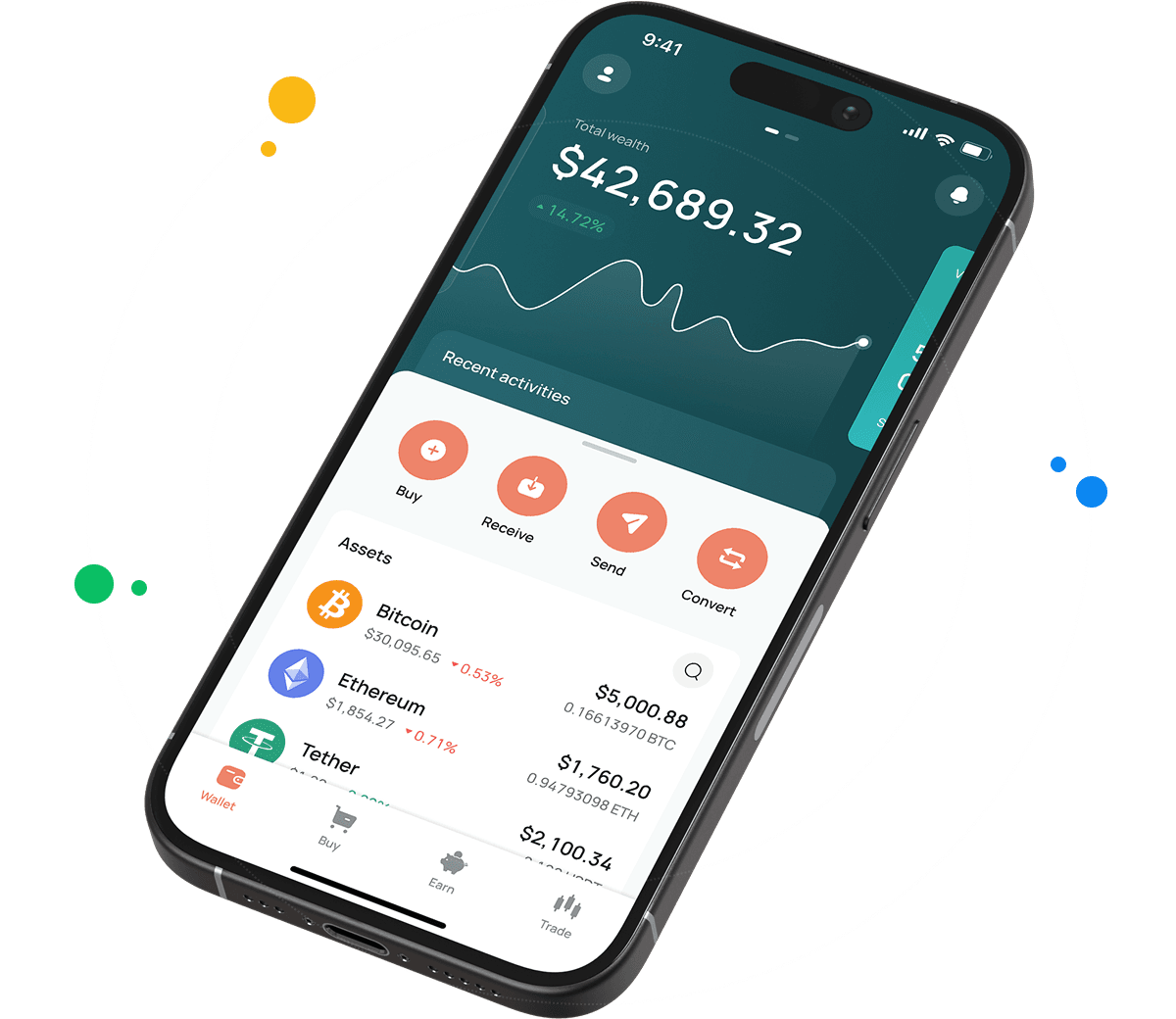
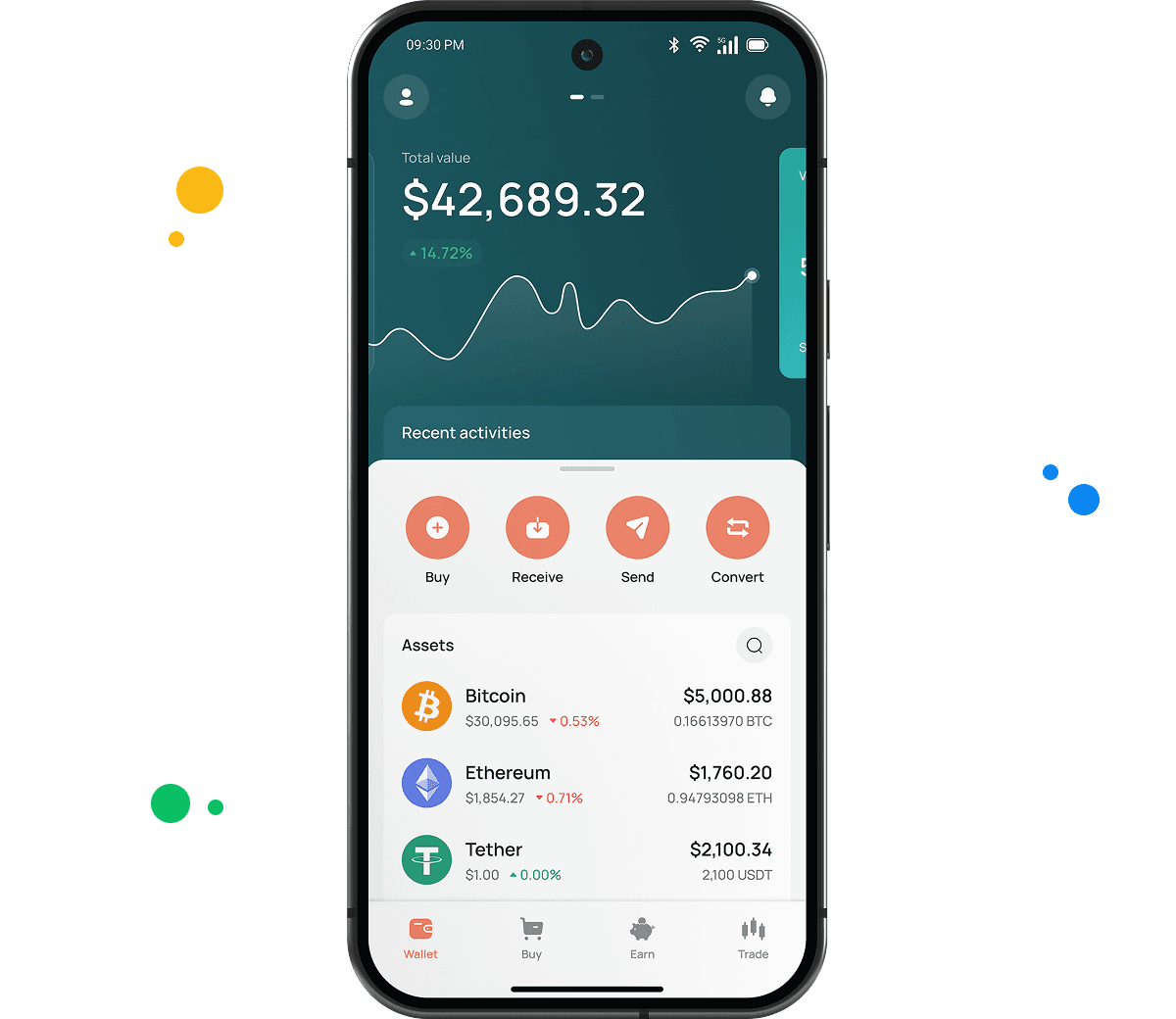
The CEX.IO Wallet is a product we designed for holding SPX, BTC, ETH, and a long list of other digital currencies in one account.
Standalone SPX wallets usually stop at storage. Ours lets you buy SPX with a card, sell it and receive cash on your balance or payment card, and convert SPX into other assets without leaving the app. Everything runs from the same screen.
The interface stays the main draw for most users. Finding the function you want takes a moment, and your portfolio value updates as you watch it.

How to use SPX wallet by CEX.IO
With the CEX.IO Wallet you send and receive SPX at low network cost, and buying, selling, and exchanging stay available whenever you want them. The layout keeps things clear, so managing funds takes no learning period. CEX.IO has operated since 2013, which gives the platform a long record behind it.
How to register at CEX.IO wallet
Signing up moves quickly. Enter your email, pick a password, and select your country. Accept the Terms of Use and Privacy Policy, then type in the passcode we send to your inbox. Add your first and last name along with your date of birth, and the setup finishes there. From that point you can send and receive SPX, buy digital assets, and sell or exchange them whenever the need comes up.

How to deposit money at CEX.IO wallet
- Open the Wallet menu and choose the currency you plan to deposit.
- Tap Receive, enter how much you want to add, select a payment method, then tap Deposit.
- Check that the payment details look right and tap Confirm Deposit.
- The money lands in your wallet shortly after.
Funding the account first makes sense if you plan to buy SPX or another token. Depositing crypto instead works just as well, since those holdings then sit ready for storage, selling, or exchange.
How to buy digital currency at CEX.IO wallet
- On the main page, tap Buy in the toolbar.
- Continue with the default asset or press Select Coin to pick SPX from the list.
- Type the amount of USD, EUR, or another available currency you want to spend.
- Choose your payment method and tap Buy. The screen shows how much SPX the purchase produces.
- Look over the details once more and press Buy Now. Your SPX balance updates right after.

How to sell crypto at CEX.IO Wallet
Checking our crypto prices page first helps you pick a moment that suits you. Selling then works like this.
- Choose Sell from the toolbar on the main page.
- Enter the amount you want to receive after the sale.
- Pick where the money should go, either a card or a bank account, and review the details that appear.
- Press Sell Now. The SPX leaves your wallet and the money follows to your chosen destination.
How to use the Exchange option at CEX.IO Wallet?
To trade assets already sitting in your wallet, select Exchange from the toolbar. Pick the currencies you want to convert between using the dropdown lists. Enter how many tokens you plan to exchange and the screen shows what you receive. Click Exchange and confirm once the numbers look correct. Your balance adjusts immediately.
Guide & FAQ
What is SPX?
SPX is the token of SPX6900, a meme project that started on Ethereum in August 2023 and now runs entirely on community effort. Its purpose is entertainment, and the team behind the original launch describes no utility beyond that. Bridged versions of SPX also circulate on Solana and Base.
Types of SPX Wallets
We built several wallet formats so managing SPX stays convenient across devices. Each version handles the same core tasks.
- Online crypto wallet. Made for desktop and laptop users. Nothing to install and no upfront cost, just an internet connection. Our platform holds the private keys, so that duty never lands on you.
- Android crypto wallet. Built for Android phones and published through the Google Play Store. The layout tracks the desktop version closely, letting you buy, sell, and manage SPX away from your desk.
- iOS crypto wallet. Made for iPhone and iPad and verified by the Apple App Store. It carries the same features as the Android app, with biometric login and live market updates included.
How can I track the value of my SPX?
Our cryptocurrency price page lists SPX with current numbers. You will see the present value, the change across the last day, and the market capitalization. Registered users and visitors without accounts can both read it.
Which wallet is best for SPX?
Desktop users often prefer the web wallet, since it needs no installation and our platform handles storage. A bigger screen also makes reviewing history simpler.
The mobile apps suit people managing crypto between other things. Android and iOS versions both carry clear navigation, biometric sign in, live prices, and transaction alerts as they happen.
Can I store other cryptocurrencies at CEX.IO?
Yes. Our desktop and smartphone wallets support over 200 assets, so SPX shares the account with BTC, ETH, USDT, SOL, and many others. No extra software and no additional fees apply.
How to send crypto from CEX.IO wallet
Open the wallet, choose SPX, and tap Send. Enter the amount and the recipient address, or select a saved address if you have withdrawn before. Confirm the network reads Ethereum, check the details, and press Confirm Sending. Transfers between CEX.IO users through CEX.IO Pay complete instantly with no blockchain fee.
Which is the best mobile SPX wallet to use?
The CEX.IO App covers SPX fully on iOS and Android. Buying, selling, converting, and sending all happen in one interface, and the wallet links to your CEX.IO account so the same funds work across the platform.
What are the payment methods at CEX.IO Wallet?
You can pay with a debit or credit card, or move money through SEPA transfers, Faster Payments if you bank in the UK, and Domestic Wire for US accounts. Over 80 cryptocurrencies also work for funding. Your country determines which ones appear.
What types of crypto wallets exist?
Crypto wallets fall into two groups, hot storage and cold storage.
Hot wallet
A hot wallet keeps your assets somewhere connected to the internet, usually a program or an application. Most cost nothing to use. They do require a working connection, and they come in a few forms. Desktop wallets install on a PC and hold your currency there. Mobile wallets run on Android and iOS phones and handle QR code payments well, though protecting them properly means a strong password, transaction notifications switched on, and no public Wi-Fi. Web wallets usually sit at cryptocurrency exchanges and open through a desktop or mobile browser.
Cold wallet
Cold wallets store crypto on physical devices, often shaped like USB flash drives, and most are portable enough to carry anywhere. Keeping keys offline makes them harder to reach remotely. The trade offs are price, since many start around 100 dollars, and asset support, since they typically handle only major currencies like BTC and ETH.