Uniswap Wallet
Uniswap (UNI) Wallet on CEX.IO : For iOS, Android, and Desktop Users
Are you searching for the best Uniswap wallet? We built a secure online UNI wallet that stores, sends, and receives Uniswap from any device.

Read our easy guide and create your Uniswap wallet today!
Uniswap Wallet for All Devices
Uniswap (UNI) is the governance token of the largest decentralized exchange on Ethereum. Traders and DeFi users hold UNI to take part in protocol decisions and to keep exposure to one of the sector's core projects. CEX.IO gives you a free Uniswap wallet for iOS, Android, desktop, and the web. You store UNI, track your portfolio, and move funds from one secure interface.
Types of wallets for keeping digital assets
A crypto wallet protects the private keys that control your assets. With an ERC20 token like Uniswap, the wallet type you choose sets how you reach your UNI and how you defend it.
Desktop apps, mobile apps, web wallets, and hardware devices each store your keys in a different way. You stay responsible for your credentials in every case, so keep your password and recovery details private.
What are Uniswap Wallet and ERC20 Wallet?
Uniswap (UNI) is an ERC20 token that runs on the Ethereum blockchain. It serves as the governance token for the Uniswap protocol, the leading decentralized exchange where users swap tokens through automated liquidity pools.
Holders of UNI vote on proposals that steer the protocol, from fee settings to treasury decisions. Because UNI follows the ERC20 standard, any Ethereum-based wallet that supports the standard can store it.
A Uniswap wallet, also called an ERC20 wallet, holds the keys to your UNI and other Ethereum tokens. The CEX.IO Wallet adds buying, selling, and conversion to that storage in one account.

CEX.IO Uniswap Wallet
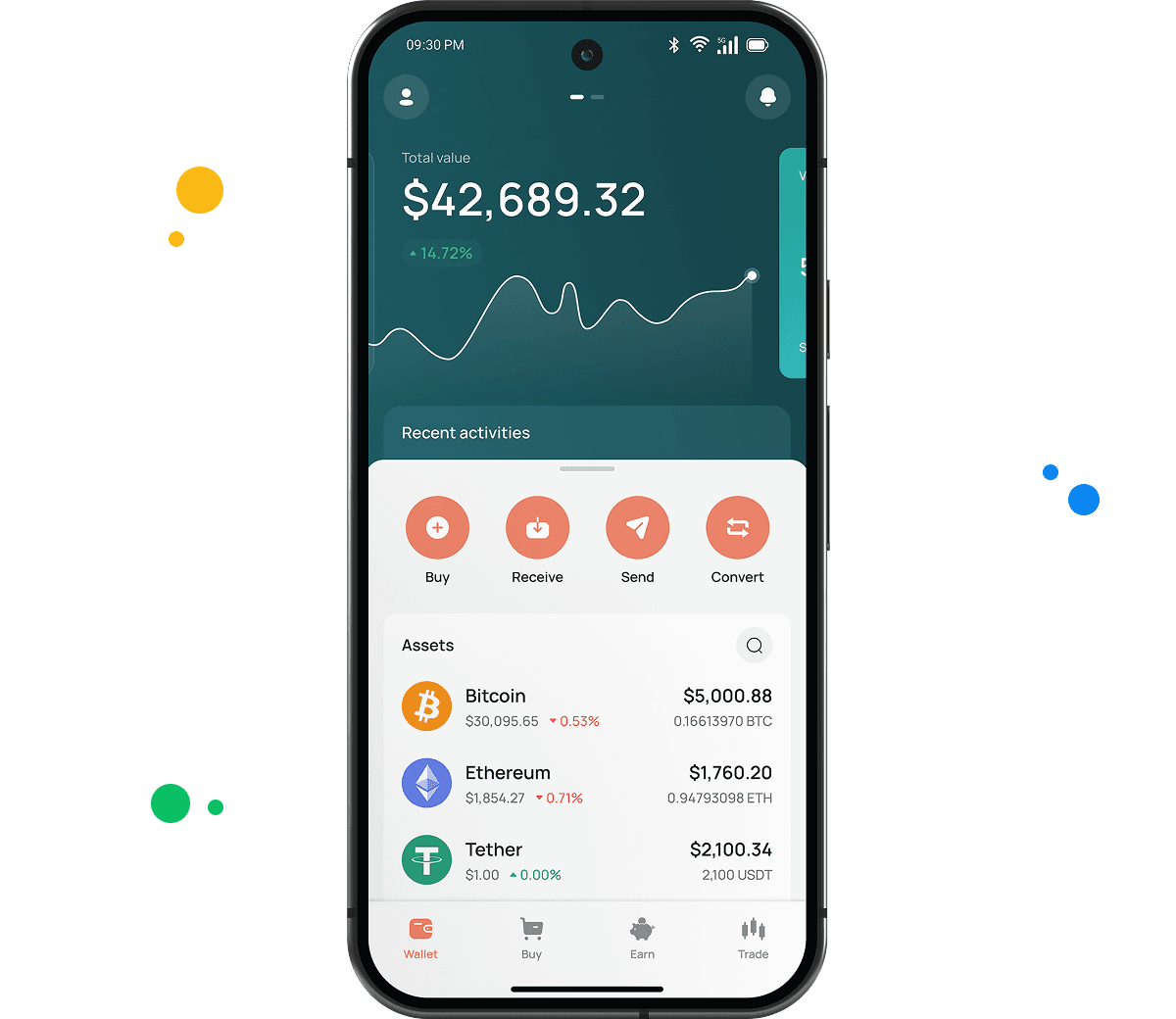
The CEX.IO Wallet stores UNI alongside ETH and hundreds of other assets, in a single secure account.
You buy UNI with a card, sell it for cash, and convert ERC20 tokens between each other or into other crypto and fiat. The wallet keeps these actions simple and quick.

How to use Uniswap wallet by CEX.IO
The CEX.IO Wallet lets you send and receive Uniswap with low network costs, and buy, sell, or exchange UNI whenever you choose. CEX.IO operates since 2013 and serves more than 15 million registered users, so your ERC20 tokens sit on a trusted platform.
How to register at CEX.IO wallet
Registration on CEX.IO takes a few minutes. Open the website or download the CEX.IO app, then tap Create your account.
Enter your email, create a strong password, and select your country and state of residence where required. Accept the Terms of Use, then confirm your email through the verification link.
Complete identity verification (KYC) to unlock full wallet functions. CEX.IO follows KYC and AML requirements, so you provide your legal name, date of birth, residential address, and a valid identity document. Most users finish verification within minutes. After that you can store, send, receive, and manage Uniswap (UNI).

How to deposit money at CEX.IO wallet
To add funds, open the Wallet menu and select the currency you want to deposit.
Tap Receive and enter the amount, choose a payment method, then tap Deposit. Review the payment details and confirm. Your funds appear in the wallet once the transaction settles.
You can fund your balance with a supported card, a bank transfer, or a crypto deposit. Fund your account first when you plan to buy Uniswap or another digital asset.
How to buy digital currency at CEX.IO wallet
Eligible customers buy Uniswap (UNI) directly with Instant Buy, or fund a USD balance first and exchange it for UNI through Spot Trading or Convert.
Open the Buy Cryptocurrency section, choose your payment currency, enter the amount you want to spend, and select UNI from the dropdown. Tap Buy Crypto Instantly and follow the on-screen steps to finish.
Card payments process quickly, so your UNI reaches your CEX.IO Wallet shortly after the purchase clears.

How to sell crypto at CEX.IO Wallet
You can sell Uniswap (UNI) through Instant Sell, Convert, or Spot Trading, depending on the experience you prefer.
Select the Sell option, enter the amount of fiat you want to receive, and choose where the money lands — your card or bank account. Review the details and confirm.
Track live rates on the CEX.IO prices pages to pick a market moment that suits you before you sell.
How to use the Exchange option at CEX.IO Wallet?
CEX.IO Convert turns Uniswap (UNI) into another supported cryptocurrency or fiat currency in a few taps, with no trading interface to learn.
Choose Convert, select the assets you want to exchange, enter the amount, and review the result. Confirm the action and your balance updates right away.
Experienced users can trade UNI against supported pairs on Spot Trading with real-time prices and advanced tools.
FAQ
How to send crypto from CEX.IO wallet
Open the Wallet app, choose Uniswap (UNI), and tap Send. Enter the amount and the recipient address, or pick a saved address from earlier withdrawals. Review the network and withdrawal details, then confirm. Transfers between CEX.IO users through CEX.IO Pay are instant and carry no blockchain fee.
Which is the best mobile UNI wallet to use?
The CEX.IO App suits Uniswap holders who want full control from a phone. You buy, sell, convert, and send UNI on iOS or Android, check your balance, and reach Spot Trading in one place. CEX.IO Pay handles instant internal transfers with no blockchain fee.
What are the payment methods at CEX.IO Wallet?
CEX.IO supports debit and credit cards, bank transfers, and selected mobile wallets, with availability depending on your jurisdiction. You can also fund your account with supported digital assets and use them to buy, sell, or convert UNI.
Where to find the safest crypto wallet?
Check the provider and the security features before you trust a wallet with your funds. CEX.IO operates since 2013, serves more than 15 million registered users, holds PCI DSS Level 1 certification, and lets you enable two-factor authentication. A long track record and clear compliance signal a wallet you can rely on for Uniswap (UNI).
Should I use a crypto wallet by CEX.IO?
The CEX.IO Wallet secures UNI and your other ERC20 tokens, supports fiat payments, and converts assets quickly at low cost. A regulated global platform backs it, which makes it a dependable home for your Uniswap holdings.
Is it necessary to have a wallet to trade crypto?
Yes. You need a wallet to store, send, and receive UNI, and to fund trades. The CEX.IO Wallet links to your account, so the funds you hold work across Instant Buy, Convert, and Spot Trading. Protect the account with a strong password and two-factor authentication.
What types of crypto wallets exist?
Crypto wallets divide into hot and cold storage. Hot wallets connect to the internet and include desktop apps, mobile apps, and web wallets at exchanges — most cost nothing to use and suit everyday access. Cold wallets store keys offline on a physical device and suit long-term holdings. The CEX.IO Wallet gives you a secure web and mobile option for Uniswap (UNI) with multi-factor protection.