USDT Polygon Wallet
Tether (USDT Polygon) Wallet on CEX.IO : For iOS, Android, and Desktop Users
A USDT Polygon wallet is a wallet that stores Tether on the Polygon network and transfers it there. The CEX.IO Wallet includes Polygon support for USDT at no charge to open. You can buy USDT with fiat, keep it in your account, and send it over Polygon from a browser or from the CEX.IO App.

Read our easy guide and create your Tether wallet today!
USDT Polygon Wallet for All Devices
Polygon works alongside Ethereum and keeps transaction costs low, so many apps, games, and payment tools accept USDT on it. A wallet with Polygon support lets you send Tether to them in the right format and pay little for each move. The wallet lives in one CEX.IO account that you can open on a computer, an Android device, or an iPhone. USDT you add on one device shows on the rest, and Polygon stays on the network list for every deposit and withdrawal.
Types of USDT Polygon Wallets
CEX.IO offers the USDT wallet in three formats, and they all open the same account.
- Browser wallet. You reach it from a desktop or laptop without installing anything, which suits careful work such as comparing Polygon addresses.
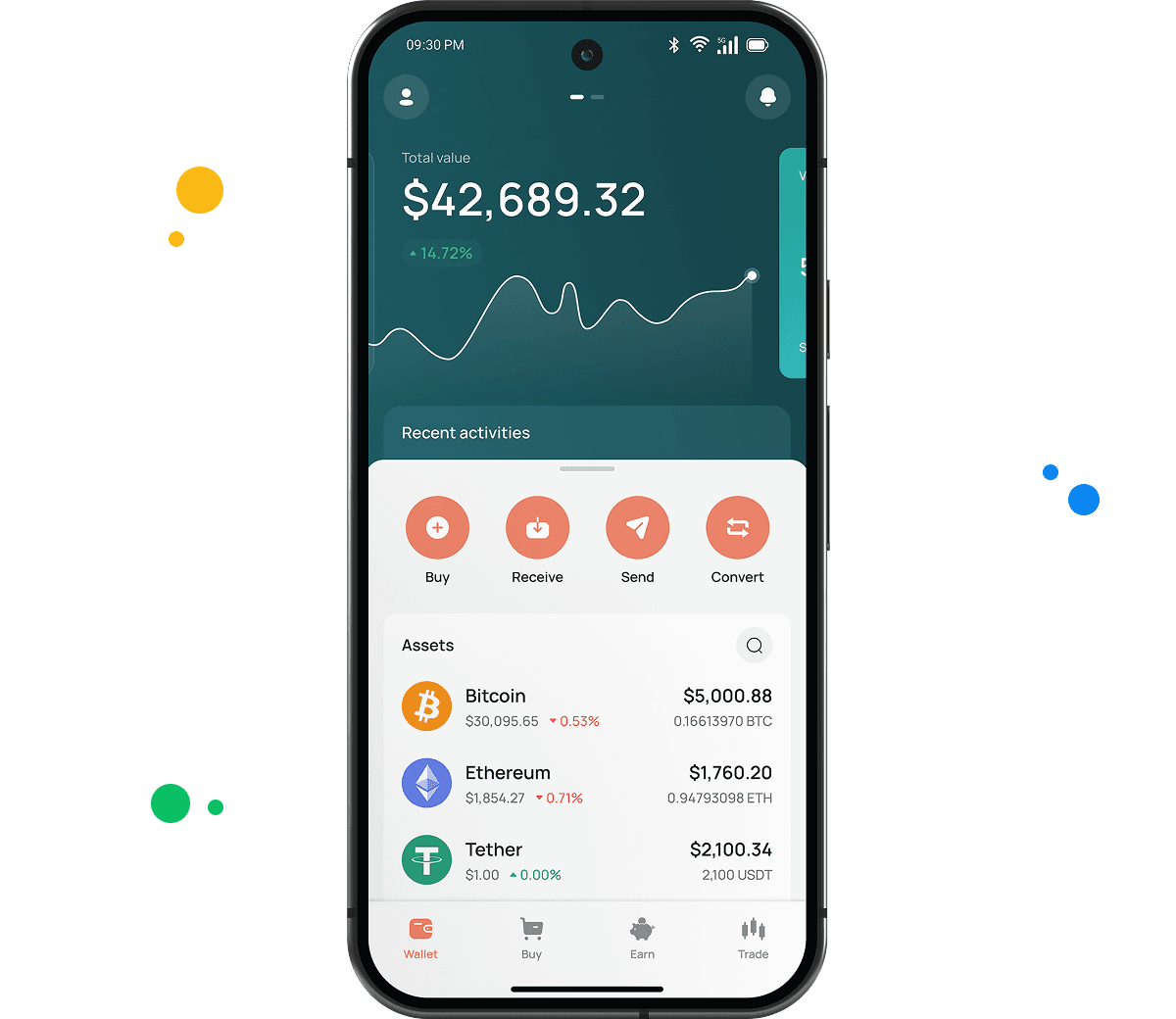
- Android app. The CEX.IO App from Google Play covers USDT on Polygon on Android devices, from buying tether to scanning a QR code for a withdrawal.
- iOS app. The App Store version gives iPhone and iPad users identical tools, and your data stays in sync with the browser wallet through your account.
CEX.IO USDT Polygon Wallet
CEX.IO acts as custodian for this tether wallet. It stores the private keys, and you gain access through your login details and two factor authentication.
The account treats all USDT as one asset. Tether that arrives through Polygon merges with Tether from other networks, and Polygon reappears as an option at withdrawal. POL, BTC, ETH, and many other assets also fit in the same account.

How to Set Up a USDT Polygon Wallet for Mobile and Desktop
Your USDT wallet comes with the CEX.IO account itself.
- Polygon support arrives with registration, which you launch through Create your wallet on the CEX.IO Wallet page.
- On that screen, an email and a password come first, then your home country, which controls the payment methods on offer.
- Accept the Terms of Use and the Privacy Policy, and enter the code from the CEX.IO email to confirm your address.
- Complete your profile and identity verification. Verification gives you access to USDT purchases and Polygon withdrawals.
Registration through the CEX.IO App works the same way on iOS and Android. After sign-up, USDT with Polygon support sits in your asset list.

How to Send and Receive USDT Polygon?
Payments in USDT on Polygon reach you through a deposit address that the wallet generates for that network.
- Begin on the main page, where USDT and its Add button lead to the list of deposit networks.
- Choose Polygon. The address on screen uses the 0x format.
- The sender can take the address as text or scan its QR code. Polygon needs 128 confirmations before CEX.IO credits the USDT, and the network produces blocks at a high rate, so the wait stays moderate.
Sending USDT out over Polygon takes three steps.
- Start the withdrawal from USDT with the Send button, and add a destination address by hand or from your saved entries.
- The network menu needs Polygon and the amount field needs a figure, and the fee for the withdrawal then appears beside them.
- Approve the withdrawal with two factor authentication, and Polygon delivers it.
Polygon uses the same 0x address format as Ethereum and other compatible chains. A wrong network choice can send USDT where the recipient cannot reach it, so a check of the network field before confirmation keeps the transfer on track.

How to buy digital currency at CEX.IO wallet
When you buy USDT on CEX.IO, or buy tether for later use on Polygon, the payment happens in fiat and the Tether goes to your wallet. Other assets follow the same path when you buy crypto beyond USDT. Polygon comes into play later, at the moment you send USDT out.
- Select Buy and choose USDT, with the current price next to the asset.
- Type the fiat amount, and the app shows the USDT you get for it.
- Choose a payment method and look at the fee, as the options differ by country.
- Your confirmation completes the order, and the USDT then waits in the wallet for storage or a Polygon transfer.

How to sell crypto at CEX.IO Wallet
To sell USDT on CEX.IO, you turn it into fiat money. The Sell section starts with USDT and the amount you want to convert. Select the card or bank account for the payout, review the summary, and confirm to send the money there.
How to use the Exchange option at CEX.IO Wallet?
From USDT, the Exchange tool can take you to POL, BTC, ETH, or any other asset in the list. Put USDT in the first field, the target asset in the second, and an amount below. The app quotes the result at the market rate. Polygon takes no part in this step, because CEX.IO handles the conversion inside your account.
Guide & FAQ
What is USDT Polygon?
USDT on Polygon is the version of Tether that runs on the Polygon PoS network. It works with Polygon wallets and apps and follows the same dollar-linked design as USDT elsewhere.
How can I track the value of my USDT Polygon?
USDT has its own page in the CEX.IO price list, with the current rate, the move over the last day, and the market capitalization. Visitors can read it without signing in.
Which wallet is best for USDT Polygon?
Your daily use decides it. People who manage USDT at a computer tend to prefer the browser wallet, and people on the go tend to use the app. The CEX.IO Wallet supports Polygon in both.
Can I store other cryptocurrencies at CEX.IO?
Yes, and the list goes well beyond Tether, with POL, BTC, ETH, and many other supported coins in the same account.
How to send crypto from CEX.IO wallet
The process looks the same for every asset. You open its Send screen, add the recipient address, and choose a network the recipient accepts. CEX.IO Pay gives another route to CEX.IO users by User ID with no transfer fee, in regions where it runs.
Which is the best mobile USDT Polygon wallet to use?
The CEX.IO App supports USDT on Polygon on iOS and Android, covering purchases, sales, conversions, deposits, and withdrawals in one interface.